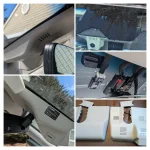
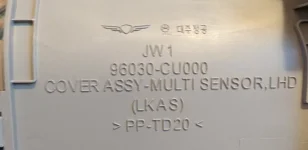
I dont have something hard plastic to help pry it off
They included a spudging tool with the unit. I wouldn't recommend taking your existing cover off until your ready to install the new one.
I installed my FitCamX about ten days ago, but I hadn't had time to post about it here yet. I guess it wasn't too hard to install, though about half way through I thought "what have I gotten myself into?" It ultimately worked out though. The trickiest part was getting the old cover off, I was very careful and took probably 20 minutes just for that. I managed to do it without snapping anything - unlike one of the YouTube videos I watched. It was also somewhat difficult to unplug the existing cable, the plug was very tight. There are actually 3
plugs up there, so I was very careful to unplug the correct one. The cable for the HDA camera is also up there, definitely didn't want to mess with that one! Finally it was a bit tricky to get it all back together, the new cable barely fits - kind of had to cram it all together and force the new cover back on. Fortunately when I turned on the car it all worked, don't know what I would have done if it didn't.
I had no problem pairing my iPhone with the FitCamX. However, I was disappointed at how slow it is to download videos to the phone. It's quite annoying since you have to leave the car on and of course leave the phone in the car. Ultimately I've decided to skip that and just remove the SIM card and plug it directly into my computer. It's still not super fast, but at least you don't have to baby sit the process in the car. The SIM card is pretty easy to install and remove. It's a bit annoying for me because you have to access the SIM card from the passenger seat and when my car is in the garage I have no access to the passenger seat, but that's a pretty first world problem.
I'm very pleased with the appearance of the unit, it looks very stock. In fact, it's been installed for almost two weeks and my wife hasn't noticed the change yet, in spite of sitting right in front of it several times. It's also very subtle from the outside, no one would know you had a
dashcam unless they were familiar with the FitCam units and were specifically looking for it. Even then, they would have to look very close.
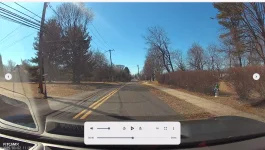
I'm also pleased with the video quality. It's not 4K, but if it was 4K, the files would be even more ginormous than they already are. Here's a sample driving over Cajon Pass summit in bright daylight.
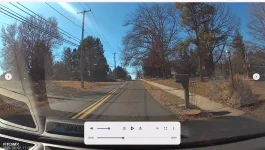
Here's driving around town near sunset.
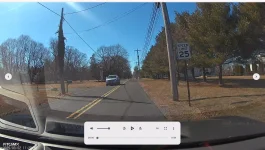
Of course at night the video is less clear, but I think it's still pretty good.
Sorry that these videos are not edited and aren't really very exciting, but they do give you an idea of what the footage looks like.
One other point, when you copy the files directly off the SIM card they have an extension of .ts. My Macintosh didn't know what to do with these. Apparently this is a variation of the MP4 format, and I was able to use Handbrake to convert them into MP4 files. I think this can be done faster and in a more automated way with the ffmpeg command line tool, but I haven't gotten around to installing that and figuring it out yet. Also, the camera defaults to recording video in 1 minute chunks, which I upped to 3 minutes. 3 minutes is as far as you can go.
I did have one other surprised when I connected the SIM card to my computer -- there was video from the Chinese factory on the card. Mostly the ceiling, but also a Chinese woman (factory worker) peering into the camera. This footage was dated from late February.
Bottom line, I would recommend this unit. However, I've never tried any other
dashcam before, so I'm not exactly an expert on the product category.