Ruissimo
Registered Member
- Joined
- Aug 22, 2010
- Messages
- 1,665
- Reaction score
- 217
- Points
- 63
- Genesis Model Type
- Genesis G70
I decided to replace my nearly-7 year-old 1080P single channel Itronics ITB-100HD dash cam with a newer model from BlackVue. At the time I bought it, the ITB went head-to-head with the equivalent model from BlackVue, but I went with the ITB based on heat-dissipation reviews.
I was not disappointed. The camera never EVER failed me in all these years, but new car... new tech! Time to upgrade to 4K! And my brother gets “old reliable” for freeeeee...

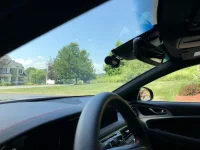
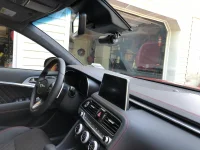
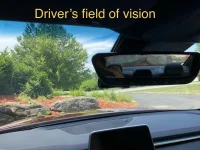
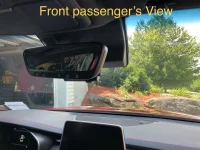
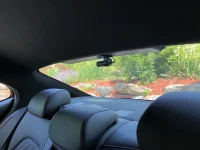
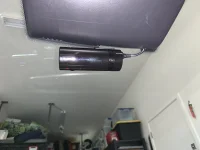
The front camera is MASSIVE. It definitely does not pass the "Stealth" test...
INSTALLATION DETAILS:
Materials Needed: One (1) BlackVue DR900S-2CH Dash Cam Kit, with front-facing head unit camera, rear camera, power cable, camera-connecting cable and two mounts, One (1) BlackVue Power Magic Pro Kit
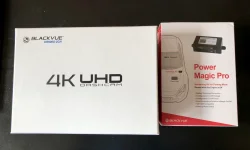

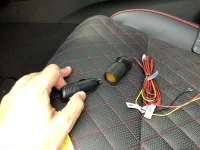
Top left: rear (small) and front (large) cameras; Top right: Power Magic Pro unit and hardwire power cables
Bottom left: cam-to-cam connecting cable and power cable; Bottom right: Memory Card, 3M cable clips and wire tool;
Tools Needed: Wire Crimper/Stripper, Phillips Screwdriver, LED Flashlight, BlackVue Wire Tool (included with kit above), Needle-Nose pliers or Fuse Removal Tool, Paper Towels, Some Patience
Time Required: Approximately 2 Hours with 2 People or ~ 3 Hours Solo
Steps:
1) Clean installation area with glass wipe. Ensure glass is dry. Best done when glass is not cold (hint, a hairdryer can warm the area up as needed).
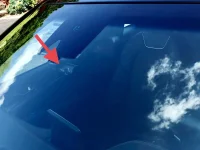
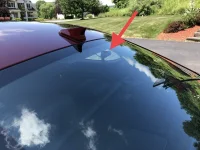
2) Place mount behind rearview mirror. Affix to windshield. The one picture I didn’t take was to show you how you can’t place the camera in front of the sunlight/rain sensor below the windshield, so I placed it slightly to the left of that. I think there is a way to flip the unit upside down which would center it a bit... but I didn’t play with the settings that invert the image. Someone should try this.
3) Attach Head unit (the big’un) to mount.
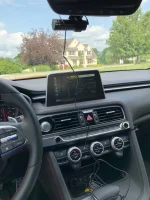
4) Insert cigarette lighter (power) cable into left side power hole on the main unit.
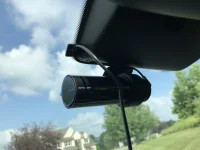
5) Use 3M clips as needed to keep cables neat and as out of sight as possible.

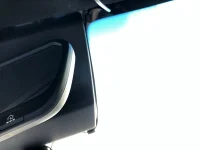
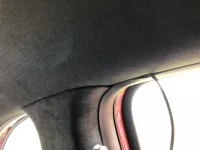
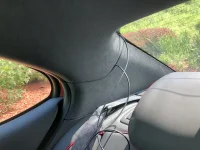
6) Run cable inside the roof liner carefully; use plastic wire tool to assist with hiding the cable as you go left along the roof liner.

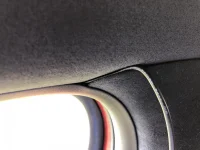
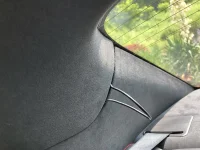
7) Run the cable in the space between the roof liner and A pillar. The tool definitely helps with this part!
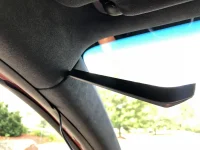
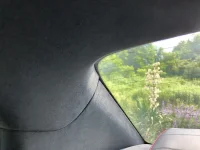
8) This part is a little tricky: I ran the cable down the A pillar, but was careful to just hide it below the rubber seal, and not push the cable into the A pillar itself - I hope this is enough to keep it from interfering with the airbag, should it deploy... someone may have a better way, which likely involves removing the pillar cover completely and tucking the cable behind the airbag. Ain't nobody got time for that.

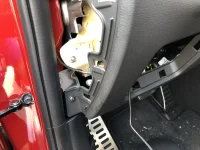
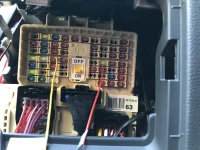
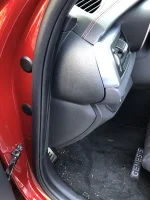
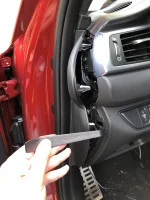
9) Now, you've come to the hard part: using the tool, and being careful not to exhort too much pressure, hide the cable all the way down the left side. Use the tool to remove the panel below, which will make things a lot easier for you:
I was not disappointed. The camera never EVER failed me in all these years, but new car... new tech! Time to upgrade to 4K! And my brother gets “old reliable” for freeeeee...
The front camera is MASSIVE. It definitely does not pass the "Stealth" test...
INSTALLATION DETAILS:
Materials Needed: One (1) BlackVue DR900S-2CH Dash Cam Kit, with front-facing head unit camera, rear camera, power cable, camera-connecting cable and two mounts, One (1) BlackVue Power Magic Pro Kit
Top left: rear (small) and front (large) cameras; Top right: Power Magic Pro unit and hardwire power cables
Bottom left: cam-to-cam connecting cable and power cable; Bottom right: Memory Card, 3M cable clips and wire tool;
Tools Needed: Wire Crimper/Stripper, Phillips Screwdriver, LED Flashlight, BlackVue Wire Tool (included with kit above), Needle-Nose pliers or Fuse Removal Tool, Paper Towels, Some Patience
Time Required: Approximately 2 Hours with 2 People or ~ 3 Hours Solo
Steps:
1) Clean installation area with glass wipe. Ensure glass is dry. Best done when glass is not cold (hint, a hairdryer can warm the area up as needed).
2) Place mount behind rearview mirror. Affix to windshield. The one picture I didn’t take was to show you how you can’t place the camera in front of the sunlight/rain sensor below the windshield, so I placed it slightly to the left of that. I think there is a way to flip the unit upside down which would center it a bit... but I didn’t play with the settings that invert the image. Someone should try this.
3) Attach Head unit (the big’un) to mount.
4) Insert cigarette lighter (power) cable into left side power hole on the main unit.
5) Use 3M clips as needed to keep cables neat and as out of sight as possible.
6) Run cable inside the roof liner carefully; use plastic wire tool to assist with hiding the cable as you go left along the roof liner.
7) Run the cable in the space between the roof liner and A pillar. The tool definitely helps with this part!
8) This part is a little tricky: I ran the cable down the A pillar, but was careful to just hide it below the rubber seal, and not push the cable into the A pillar itself - I hope this is enough to keep it from interfering with the airbag, should it deploy... someone may have a better way, which likely involves removing the pillar cover completely and tucking the cable behind the airbag. Ain't nobody got time for that.
9) Now, you've come to the hard part: using the tool, and being careful not to exhort too much pressure, hide the cable all the way down the left side. Use the tool to remove the panel below, which will make things a lot easier for you:
Last edited: