Fenrir
Registered Member
- Joined
- Jun 6, 2021
- Messages
- 97
- Reaction score
- 31
- Points
- 18
- Location
- Ontario, Canada
- Genesis Model Year
- 2022
- Genesis Model Type
- Genesis GV70
I feel the sameYeah this doesn't seem like a major update to me, not happy.
The car lovers social network
Automotive components
Create videos that captivate
Automotive Hot or Not
Vehicle hacker protection
Genesis parts & accessories
Advertise with us!
The car lovers social network
Automotive components
Create videos that captivate
Automotive Hot or Not
Vehicle hacker protection
Genesis parts & accessories
Advertise with us!

I feel the sameYeah this doesn't seem like a major update to me, not happy.
Yes I've done the update of course. I reported that Black is now a new map color available.has anyone done the update yet? So nothing major? I just updated to the last April one, not sure if this one is worth it.

Yes I've done the update of course. I reported that Black is now a new map color available.
Also, seems that Copper rust GUI is not available for G70. The release notes mention G80 and GV... honestly this update brings pretty much nothing

Loll just do it man. That's just the latest look and also you get the latest updates to the maps and nav.. You'll get used to the new interface.I spent a couple hours on this last night only to chicken out at the last minute. Prior to this I have never tried to update a car nav system so a bit of trial and error. First issue was trying to use my work at home computer where I didn't have access to store the update on the hard drive. Then tried a 10 year old Macbook that didn't have the required 25 Gb of internal storage. Finally got it to work on my sons high school laptop. While it downloaded to the laptop hard drive went and grabbed a 32gb SD card then got it copied to that. Took a few minutes to discover that the SD button/slot in the car was actually just a cover that needed to be popped off then as I was taking the old one out about to put the updated one in I thought about losing the SXM station names and the ability to order them any way I want. Knowing I couldn't go back if I didn't like the new look I simply reinserted the old SD card and left it as is. Nixie tubes nixed for now.

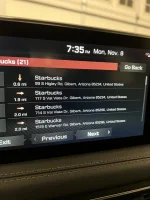
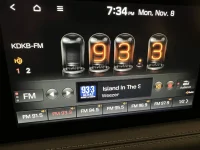
Not sure what you're talking about honestly. You're showing FM radio but talking about XM. I've always been able to see these.Maybe it’s just me but I’m glad on XM radio I never have been able to see the info of the artist now it’s an option. Also so glad they fixed the mapping directions when using voice command before of us so backed out you couldn’t see what the address was
Oops. I meant HD RadioNot sure what you're talking about honestly. You're showing FM radio but talking about XM. I've always been able to see these.
I don't see anything new
It has always brought up Google/Siri when you have your phone plugged in and you long press it...What about the Mic button? Does it bring up Google/Siri (when using Carplay/Android Auto)? Or still the built in Genesis system?
Ah long press! I gotta try that!It has always brought up Google/Siri when you have your phone plugged in and you long press it...
 | ||||
 |  |  |  |  |
 |  | |||